
CNC Workholding Basics: Keep the Workpiece Still
Why workholding affects safety and repeatability, the common beginner methods, and what to check before a cut.
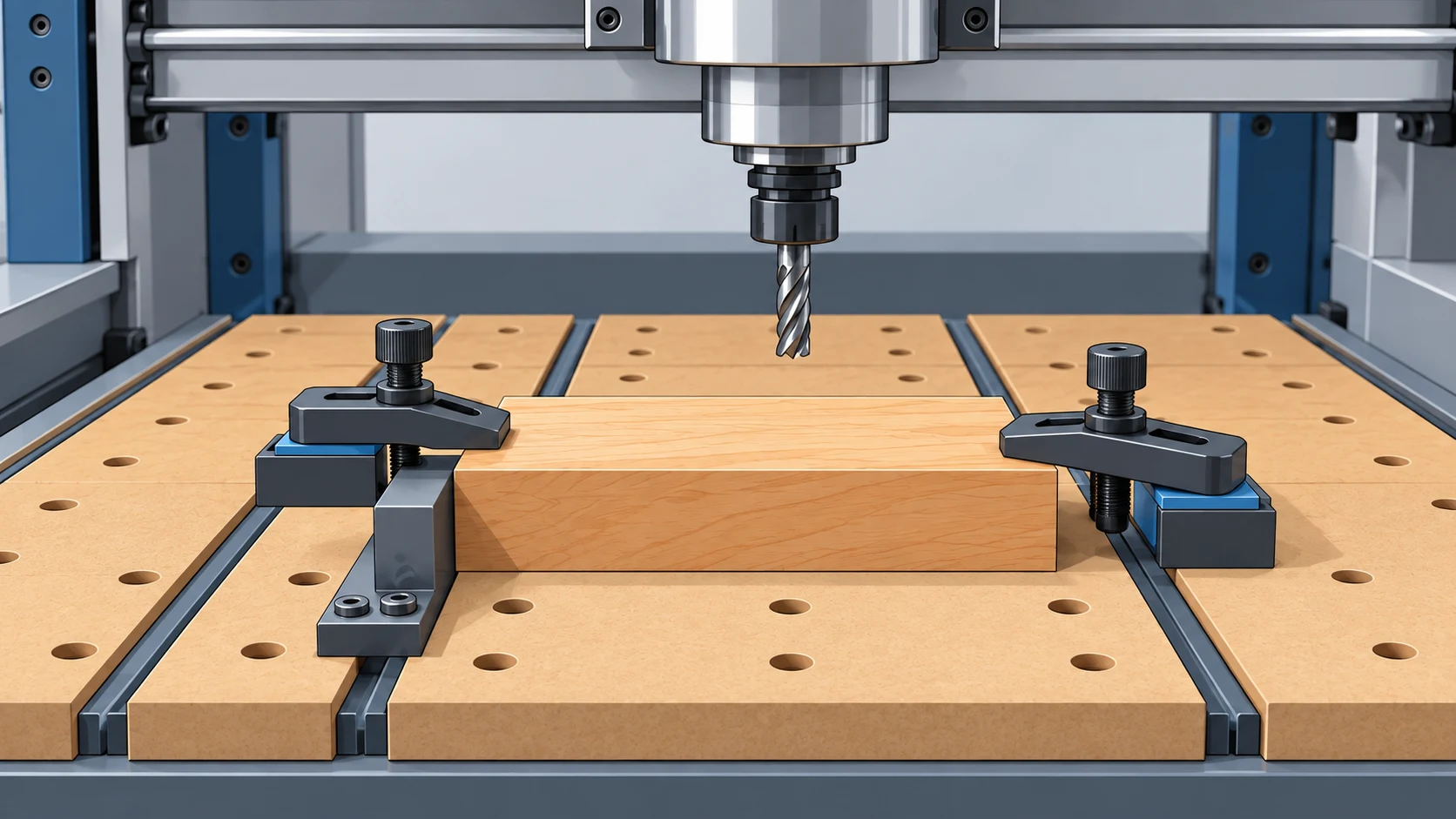
Table of Contents▼
A CNC router follows its toolpath whether or not the material stays where you put it. If the stock slides, lifts, or breaks free partway through a job, the machine keeps cutting as though nothing changed. Workholding is the part of setup that keeps the workpiece in the position the toolpath assumes.
This guide explains why workholding matters, describes the common beginner methods and the situations each one suits, and ends with a short set of checks to run before a cut. It draws on published vendor guidance from Sienci Labs and Easel. Treat the examples as illustrations of general ideas; your machine, wasteboard, and clamps may call for different details.
Why workholding matters
Sienci Labs' workholding guide describes securing material to the machine bed as one of the most important skills a new CNC user learns. In its words, rigid workholding keeps stock from moving, sliding, or crashing during a cut, which protects the project, the tools, and the machine.
Easel's help article on clamping lists what can follow from a poor hold: broken bits, the machine carving off its intended path, and other carving errors. It adds that with an aggressive feed rate and very poor clamping, the material may come off the machine. The same article notes the other side of the relationship: a firmly held workpiece lets you run faster feeds and speeds, since the push-back from the material is less likely to knock the bit off course.
So workholding affects three things at once. It is a safety matter, because loose stock and broken tools are hazards. It is a quality matter, because a part that shifts is cut in the wrong place. And it is a repeatability matter, because a setup you can reproduce lets you run the same job again and expect the same result.
There is no single best method
Both sources make the same point in different ways: the right method depends on the job. Sienci's guide describes it as a trade-off: the strongest options tend to obstruct the cutting area, the least obtrusive ones grip with less force, and a good setup often mixes several of them. It suggests considering the material type, the style of cut, and the toolpath when choosing.
The sections below cover four approaches a beginner is likely to meet first. The same guide also describes T-tracks, threaded inserts, vises, dog holes, fences, and vacuum tables. Those need more hardware or preparation and are left for later.
Clamps
Clamps press the material against the wasteboard and can be reused across projects. Sienci's guide describes top hold-down clamps as applying pressure from above, which suits flat workpieces, engraving, and general cutting. Side and toe clamps pull the material down and inward from its edges, which leaves the top surface clear for operations such as surfacing.
Easel's article recommends clamping when a project uses the full piece of material, or enough of it that you would not want to drill mounting holes through it.
The main risk with clamps is that they sit where the tool wants to go. Sienci's list of clamp problems includes toolpath interference, uneven pressure that warps or lifts the workpiece, metal clamps marking soft materials, clamps loosening under vibration during long cuts, and over-tightening that cracks or distorts the material. Its suggested responses are to plan clamp positions outside the toolpath and simulate the job in CAM software, tighten clamps evenly, pad the contact points, recheck tightness before starting, and apply only enough pressure to hold the material.
Easel gives the same advice from the software side: simulating the toolpath before clamping lets you see where the tool will travel and place clamps accordingly.
Screws
Screwing the stock directly to the wasteboard needs no special hardware. Sienci's guide notes that first-time users often start with this method, and that it suits large or thick stock where screws can be placed away from the toolpath. It is a poor fit for brittle materials, cosmetic surfaces, small parts, and projects that cannot have holes in them.
Easel describes a related approach: bolting the material to threaded inserts in the wasteboard through holes drilled in the stock. It calls this the most secure method for cases where you are not using the whole piece, since it requires holes through the material.
Screws bring their own problems. Sienci's guide warns that a bit striking a screw can snap, harm the spindle, and spoil the workpiece, so screw positions need to be planned and checked against the toolpath. It also mentions screws that are too long passing through the table, wood splitting near edges unless holes are pre-drilled, large sheets bowing upward in the middle when fixed only at the corners, and screws backing out under vibration.
Tape
Adhesive methods hold the workpiece from underneath, which leaves the top and edges clear. Sienci's guide describes one version: painter's tape on both the wasteboard and the stock, with CA glue between the two tape layers. It recommends this for small or thin parts and light materials with smooth surfaces, and advises against it for heavy cuts, uneven surfaces, and tall stock.
Easel's article calls double-sided tape a reliable way to secure very thin materials, and describes a combination of clamps and double-sided tape as one of the most reliable ways to keep material secure.
Tape depends on the surfaces it sticks to. According to Sienci's guide, dust, oil, or uneven surfaces weaken the bond and can let parts shift mid-cut; aggressive passes or large bits can overcome the adhesive; and adhesives can lose strength in a cold or hot workshop. Its suggestions are to clean both surfaces, take lighter passes, and add clamps when the cut is demanding.
Tabs
Tabs solve a different problem. When a toolpath cuts a shape completely out of the stock, the shape is no longer attached to anything once the last pass finishes. Easel's article on tabs explains that the freed piece can then be damaged by the bit. Tabs are small bridges of uncut material that keep the shape connected to the surrounding stock, which is itself held down.
Sienci's guide describes tabs as a software-based method that works together with physical workholding. They are added during toolpath design and removed after machining.
Tabs hold the part, not the stock. They do not replace clamps, screws, or tape; they keep a cutout in place within stock that is already secured.
Tab size and position involve trade-offs. Sienci's guide notes that tabs that are too thin or too short can break during cutting, while thick tabs leave more material to remove afterwards, and that snapping tabs by hand can splinter wood. It suggests cutting them with a saw or chisel.
Easel recommends placing tabs where they are easy to reach and easy to sand, on smooth, straight sections and away from corners and rounded edges.
If you turn tabs off, the cutout needs another way to stay put. Easel's article says some users have success with double-sided tape under the shape when cutting it out fully.
Checks before you cut
These checks summarize the points above. They are not a complete safety procedure.
- Push the stock by hand. If you can shift or lift it, the cutter can too.
- Compare the hold-downs with the toolpath. Simulate or preview the job and confirm that no clamp, screw, or fixture lies in the tool's way, including during moves between cuts.
- Look at the middle of large or thin stock. Material held only at its edges or corners can bow upward. Add support where it lifts.
- Account for parts that will be cut free. Confirm that tabs are present, or that the piece is held by tape or another method.
- Clean the contact surfaces. Chips or dust under the stock or on taped surfaces weaken the hold.
- Recheck tightness before a long job. Vibration can loosen clamps and screws.
- Match the cut to the hold. A light hold calls for lighter passes; a demanding cut calls for a stronger or combined hold.
Combining methods
Sienci's guide closes with the observation that no single method covers every project, and that efficient setups pick and combine techniques according to the material, the type of cut, and the clearance needed. Clamps with tape underneath, or clamped stock with tabs holding the cutouts, are two examples of the combinations these sources describe.
The method matters less than the outcome. Before the spindle starts, the workpiece should be unable to move, and nothing holding it should be in the path of the tool.