
User Panel
Updated 2025-10-31
Projects
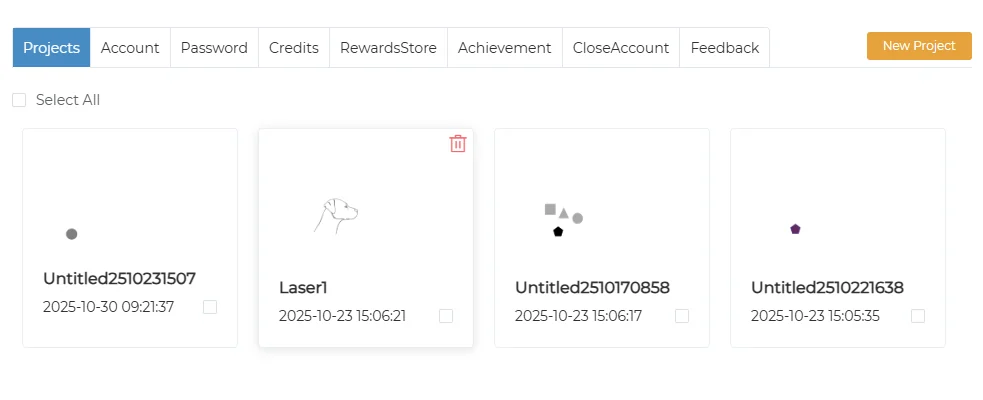
Create a Project
- Click “New Project” to create a new project and automatically enter the canvas
Enter a Project
- Double-click to open the selected project
Delete a Project
- Click the delete icon in the top-right corner of the project to remove it
Batch Delete
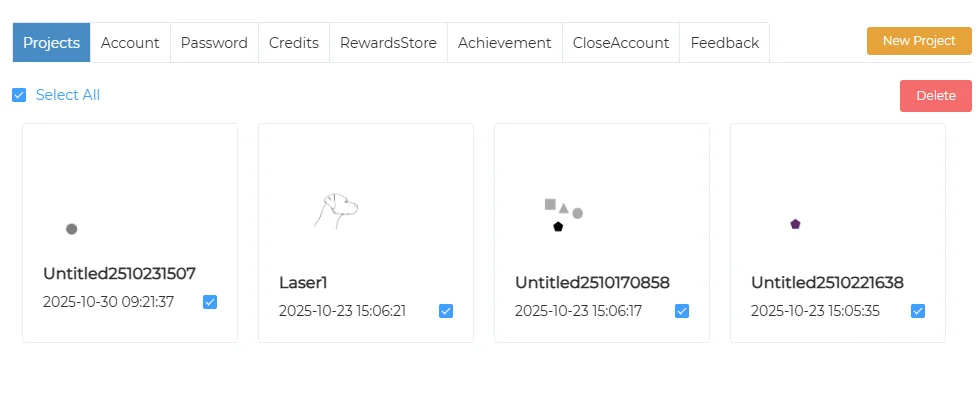
- Check the box in the bottom-right corner of each project, or click “Select All” in the top-left to select all
- Click the “Delete” button in the top-right to remove selected projects
Account
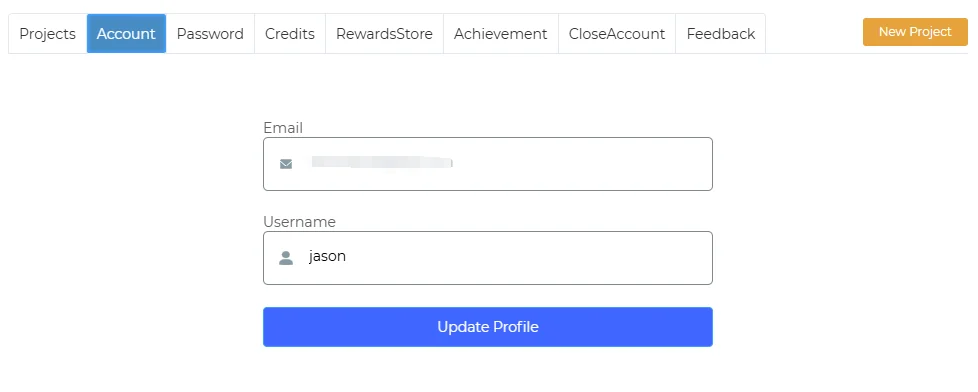
Change Username
- Enter a new username in the “Username” field
- Click “Update Profile” to save changes
Password
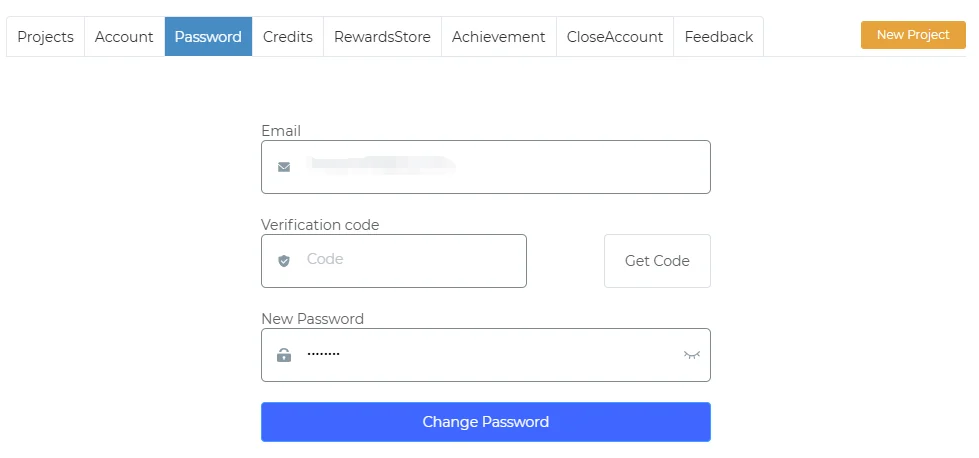
- Click “Get Code” to send a verification code to your email
- Enter the code and your new password
- Click “Change Password” to update
Points
Point Earning Details
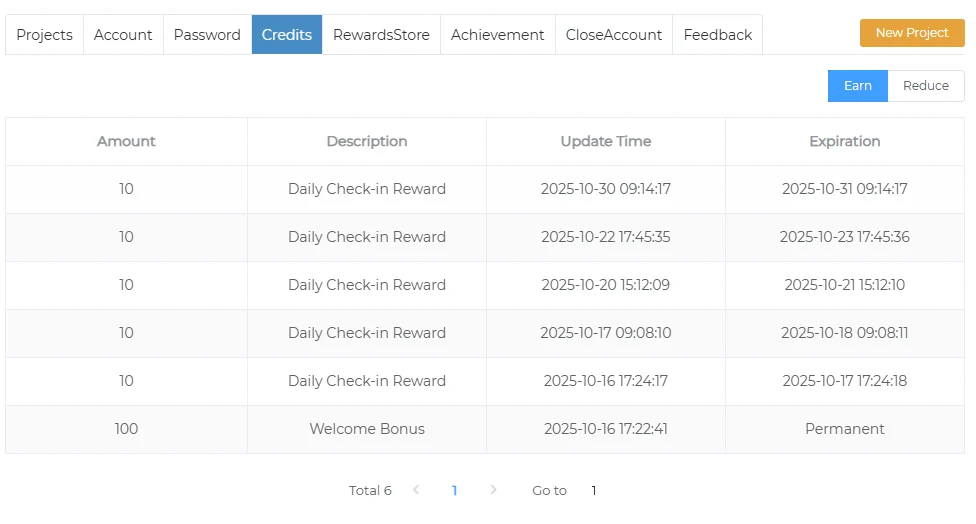
- Point value
- Description
- Earned time
- Expiration time
Point Spending Details
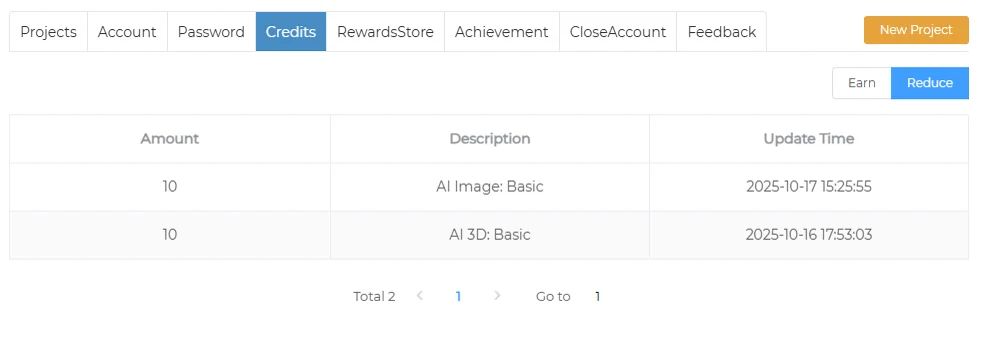
- Amount spent
- Description
- Time of transaction
Rewards Store
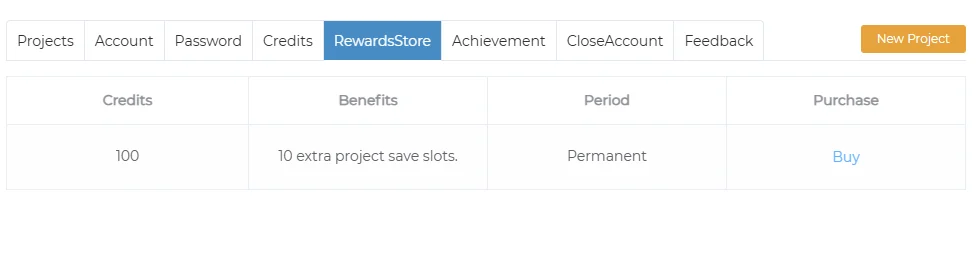
- Point balance
- Redeemable items
- Expiration time
Achievement
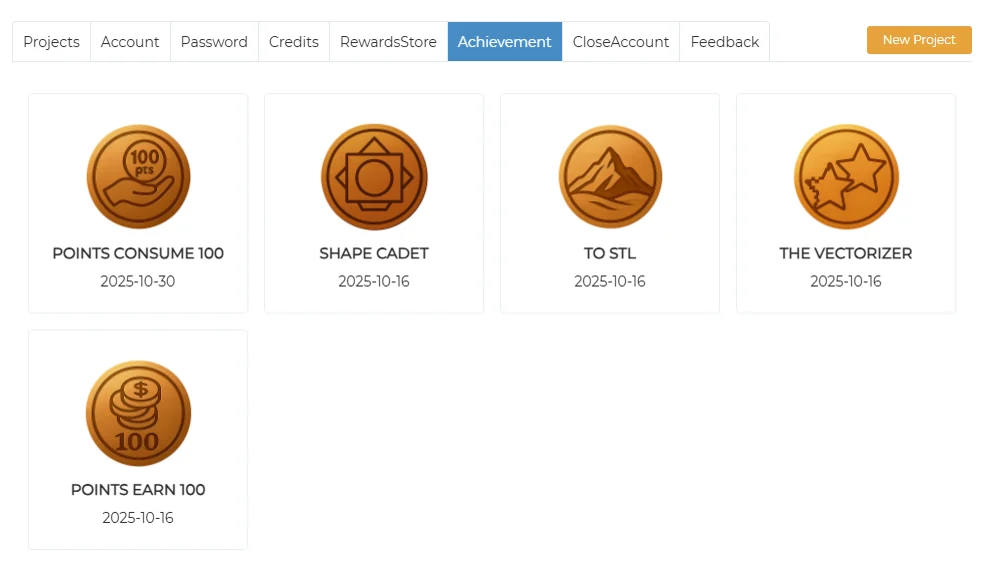
- List of earned achievements
- Achievement name
- Achievement icon
- Date acquired
Close Account
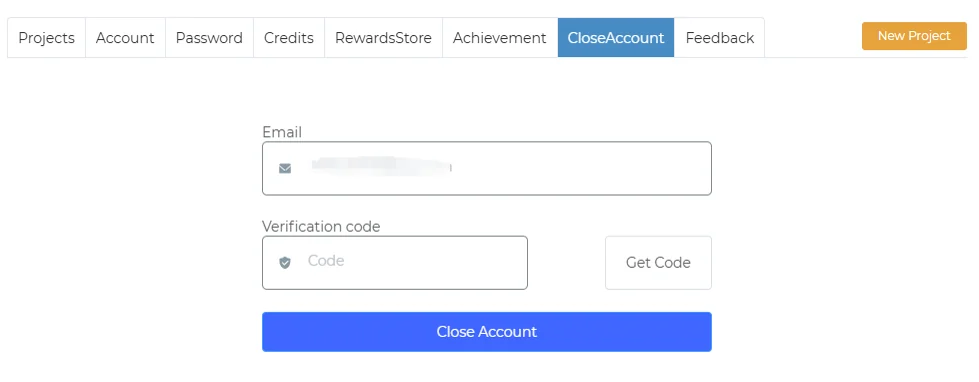
- Click “Get Code” to send a verification code to your email
- Enter the code
- Click “Close Account” to deactivate your account
Feedback
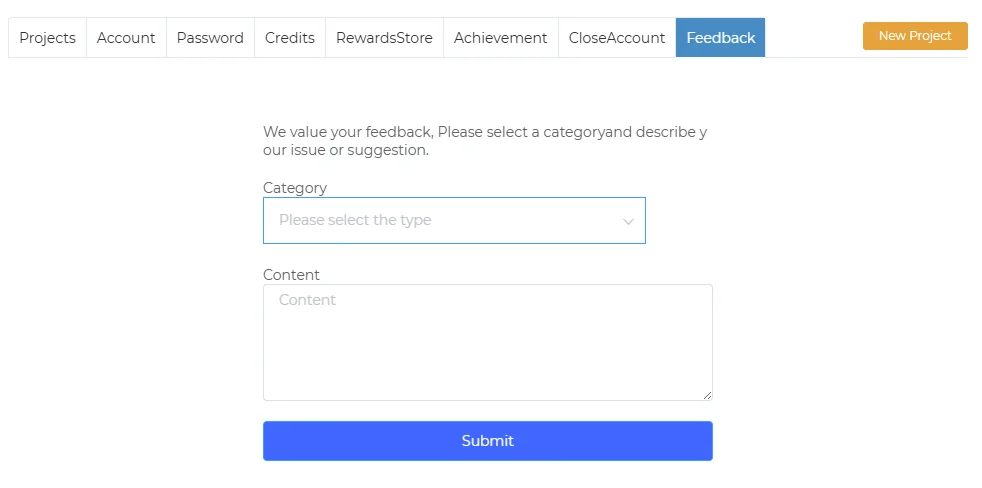
- Select feedback type
- Enter feedback content
- Submit