Real-Time Monitoring
Updated 2026-09-14
During the execution of a carving task, Laetoly provides comprehensive real-time monitoring features to help users accurately track machining progress, device status, and error information, ensuring safe and smooth task completion.
📊 Progress Bar and Status Display
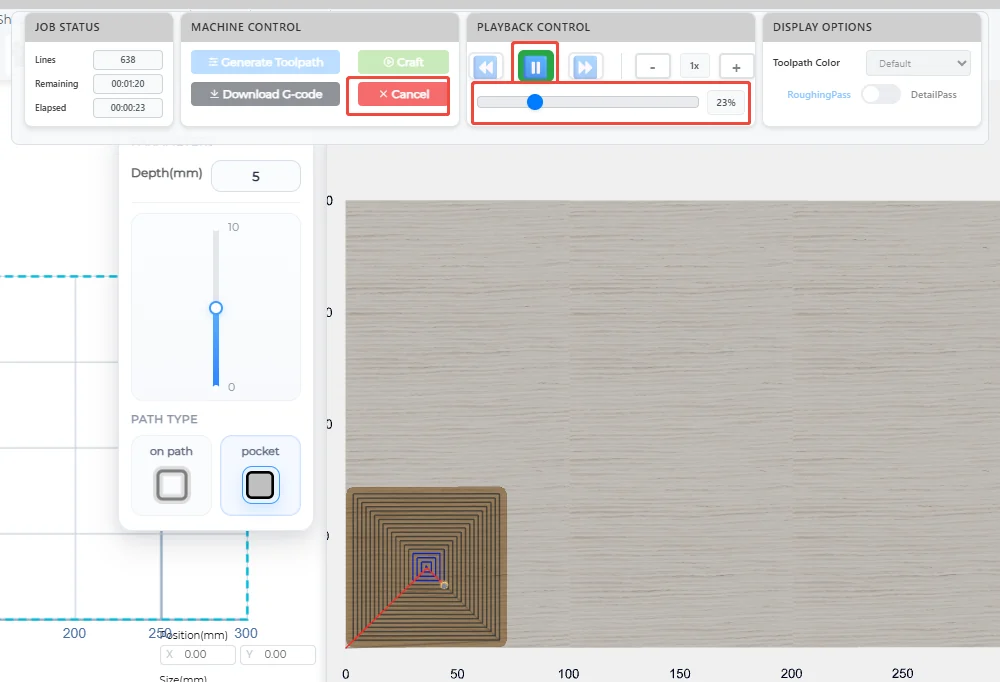
When the device is performing a carving task, the control panel in the 3D preview interface will display a real-time progress bar. The completion percentage dynamically updates, allowing users to intuitively grasp task progress.
During task execution, only the “Cancel” and “Pause” buttons are available; all other operations are disabled.
For more details, see: 3D Preview
🧭 Real-time Path Trajectory
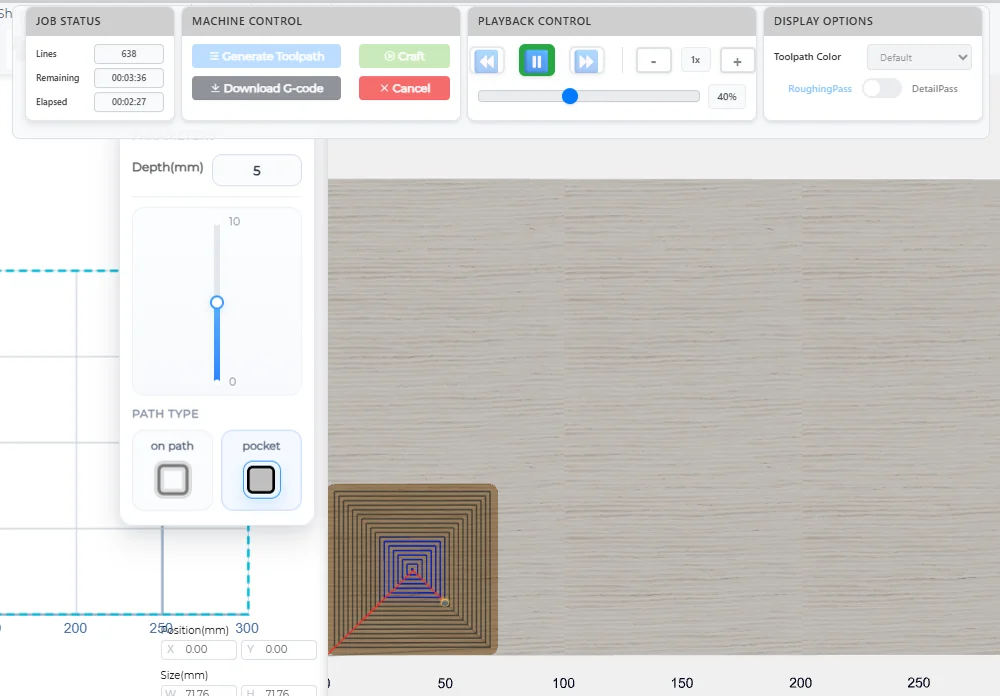
In the 2D preview interface, the system will draw the tool’s running trajectory in real time, including the current machining position and completed paths. Users can visually observe the carving process and quickly detect abnormal deviations or path errors.
- Completed paths are shown in blue
- Unfinished paths are shown in gray
For path color settings, see: 3D Preview
⏱️ Machining Time Monitoring
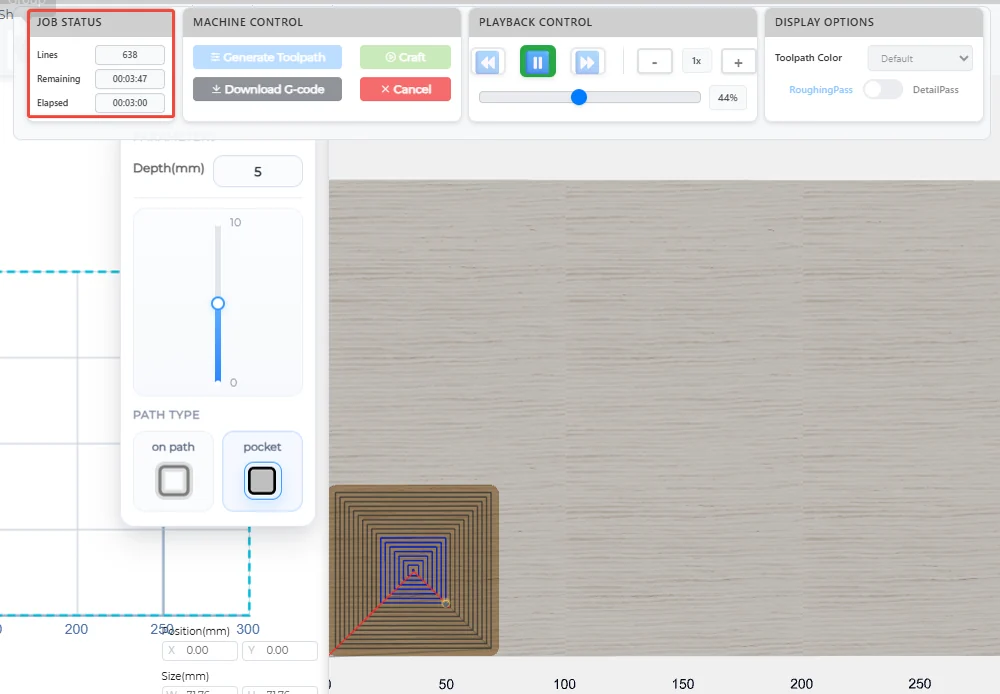
The system automatically calculates and displays the following time information:
- Number of G-code lines
- Current elapsed time
- Estimated remaining time
These data help users plan subsequent operations or evaluate machining efficiency.
⚙️ Machine Status Display
Machine status is displayed at the top-left of the 3D preview interface in large, prominent font, making it easy for users to monitor the device’s operating state in real time.
For more details, see: Real-time Monitoring
📍 Real-time Coordinate Display
At the top-right of the 3D preview interface, the system displays the current X/Y/Z coordinates of the tool (unit: millimeters). The coordinate values update dynamically as the device moves, helping users precisely track the machining position.
For more details, see: Real-time Monitoring
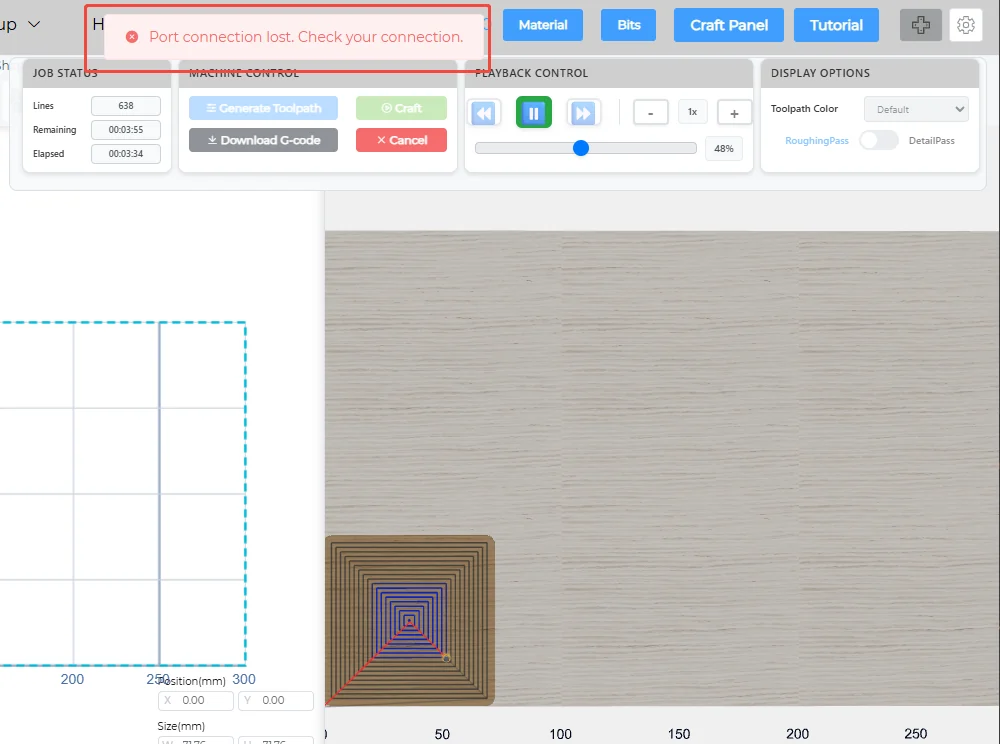
🚨 Alarms and Error Messages
During carving, if the device encounters abnormal conditions (such as limit switch triggers, communication interruptions, or emergency stops), the system will automatically pop up an alarm notification and display detailed error information at the bottom of the interface. Users can quickly troubleshoot issues based on the prompts to ensure machining safety. For example, if the device suddenly disconnects for some reason, Laetoly will display the following interface: